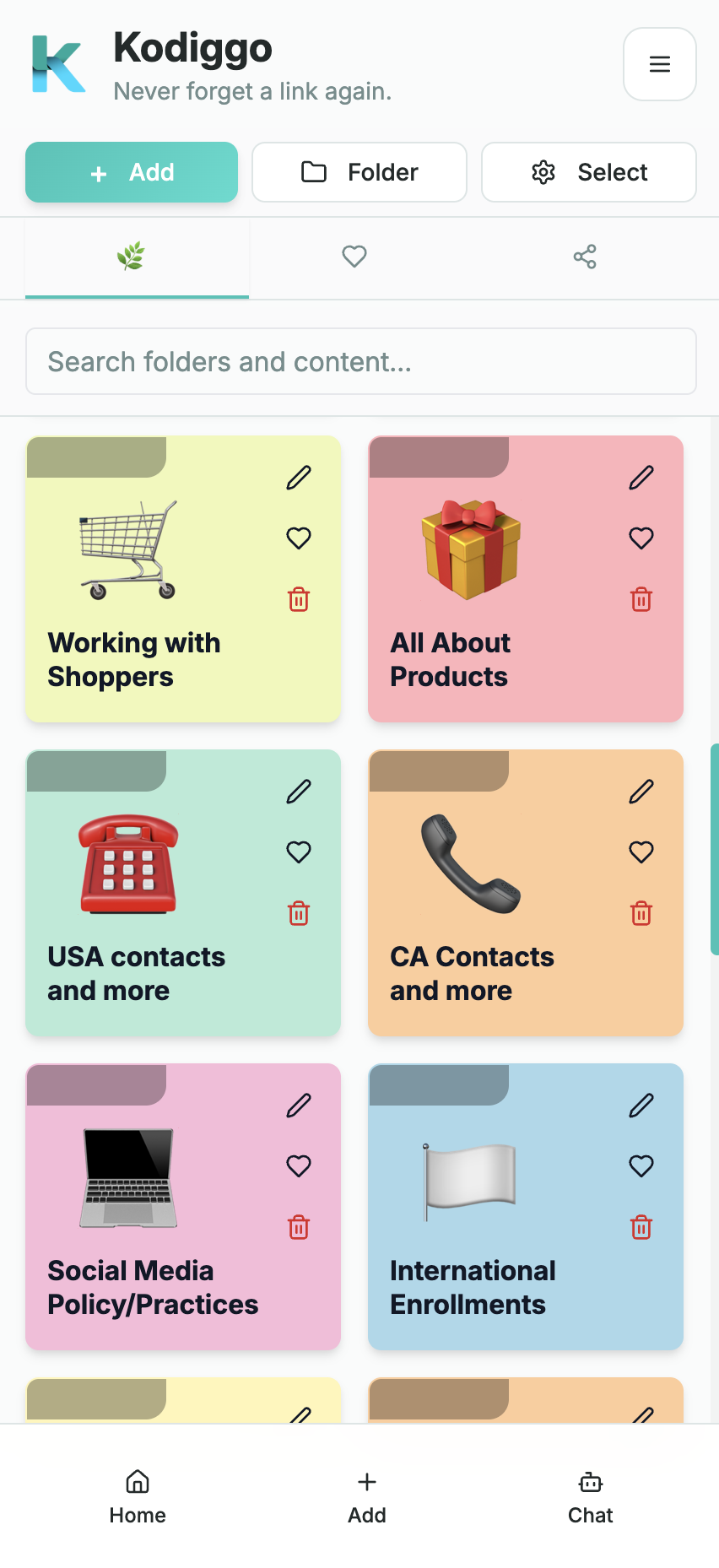
A broader home for the resources your team depends on
Kodiggo brings links, files, videos, notes, training, and team knowledge into one searchable hub, so people can find what they need without digging through old chats or asking you to resend it.
Boards is built for direct-sales sharing. Kodiggo takes a broader hub approach.
Boards is designed around direct-sales duplication, onboarding, mobile sharing, and community. Kodiggo is designed for teams that want a broader place to organize, search, revisit, update, and share the resources behind their work.
Neither approach is right for every team. The better choice depends on how your team uses information every day.
Bring scattered resources together
Keep useful links, files, videos, notes, scripts, training materials, and reference information in one organized workspace.
Search instead of scrolling
Help people find the right resource without searching through old messages, browser bookmarks, screenshots, or multiple drives.
Create a clear place to start
Organize onboarding and training into a simple path that shows new team members what to read, watch, and do next.
Keep information current
Update the resource in your hub instead of sending another version through multiple conversations and hoping everyone sees it.
Use it beyond one workflow
Build hubs for training, products, clients, projects, education, content planning, personal research, or any collection your team needs.
Give knowledge a permanent home
Turn useful information into a resource your team can revisit instead of letting it disappear inside temporary conversations.
Ask questions across your saved resources
Use Kodiggo's AI Companion to ask questions and receive answers based on information saved in your workspace.
What Kodiggo helps you organize
Links, files, videos, notes, folders, and collections
Searchable team resource hubs
Onboarding and training paths
Scripts and communication examples
AI Companion answers from saved workspace knowledge
Balanced comparison
This comparison uses only verified facts available in the Kodiggo repository and approved project context. Unverified competitor details are marked for provider verification.
Capability
Kodiggo
Boards App
Custom boards
Available through visual folders and resource collections
Available
Sales and marketing content
Available for links, files, videos, notes, scripts, and images
Available
Texts and scripts
Available as notes, text resources, and saved scripts
Available
Images, videos, PDFs, and links
Available
Available
Mobile keyboard
Not currently offered
Available
AI assistance
Available
Confirm with provider
Boards is a trademark of its respective owner. Kodiggo is not affiliated with or endorsed by Boards. Product features may change, so confirm current details with each provider before making a decision.
Which approach fits your team?
Boards may fit you better when...
Your workflow is centered specifically on direct sales or network marketing.
Sending scripts and product information through a mobile keyboard is essential.
You want onboarding, sharing, and community features in one direct-sales-focused product.
Most of your team activity happens inside active mobile conversations.
Kodiggo may fit you better when...
You want a broader, searchable hub for different kinds of resources.
You organize links, files, videos, notes, training, and reference information.
Your workspace needs to support more than one business or team workflow.
You want people to find and revisit knowledge independently.
You want one organized source that can grow with your content.
Some teams may choose to use both
The tools do not have to be mutually exclusive. A team may use Boards for quick direct-sales sharing inside conversations while using Kodiggo as its broader knowledge, training, and resource hub.
A practical setup path
Create your hub
Start with a purpose such as onboarding, team training, product information, client resources, or personal knowledge.
Add what your team needs
Organize useful links, files, videos, notes, scripts, and reference materials into clearly named folders.
Share, improve, and keep it current
Give people one dependable place to return, then update the hub as your resources and process evolve.
Common questions
Is Kodiggo the same type of product as Boards?
Not exactly. Both products help teams organize and share useful information, but they emphasize different workflows. Boards specializes in direct-sales duplication, onboarding, mobile keyboard sharing, and community. Kodiggo is designed as a broader resource and knowledge hub for links, files, videos, notes, training, and reusable information.
Does Kodiggo have a mobile keyboard like Boards?
Kodiggo currently focuses on organizing, searching, and sharing resources through its workspace. Teams that depend heavily on a one-tap mobile keyboard may find Boards better suited to that specific workflow.
Can Kodiggo be used for network-marketing teams?
Yes. Network-marketing and direct-sales teams can use Kodiggo to organize onboarding, training, product information, approved scripts, videos, documents, links, and frequently asked questions. Each team remains responsible for following its company's policies and compliance requirements.
Can Kodiggo be used outside direct sales?
Yes. Kodiggo can support teams, coaches, educators, creators, small businesses, client-service organizations, and individuals who need an organized place for reusable resources.
Can I try Kodiggo before committing?
Kodiggo offers a 14-day trial so you can build a hub with your own resources and decide whether the workflow fits your needs.
Will Kodiggo automatically grow my team?
No software can guarantee team growth or business results. Kodiggo helps organize the resources and processes behind your team so information can be easier to find, follow, and reuse.