Do I have to leave my Facebook group?
No. Keep the group for conversation and community. Kodiggo replaces the filing, not the conversation.
Looking for a Facebook group alternative?
Many direct sales teams keep their training in a Facebook group. It works until the team grows: posts move down the feed, the answer sits in an old comment, and new members ask the same question again. Keep the group for conversation, and move the resources to a place built for finding them.
Last reviewed: 2026-11-28
Keep your group. Move the filing.
Start your 14-day trial See the comparison
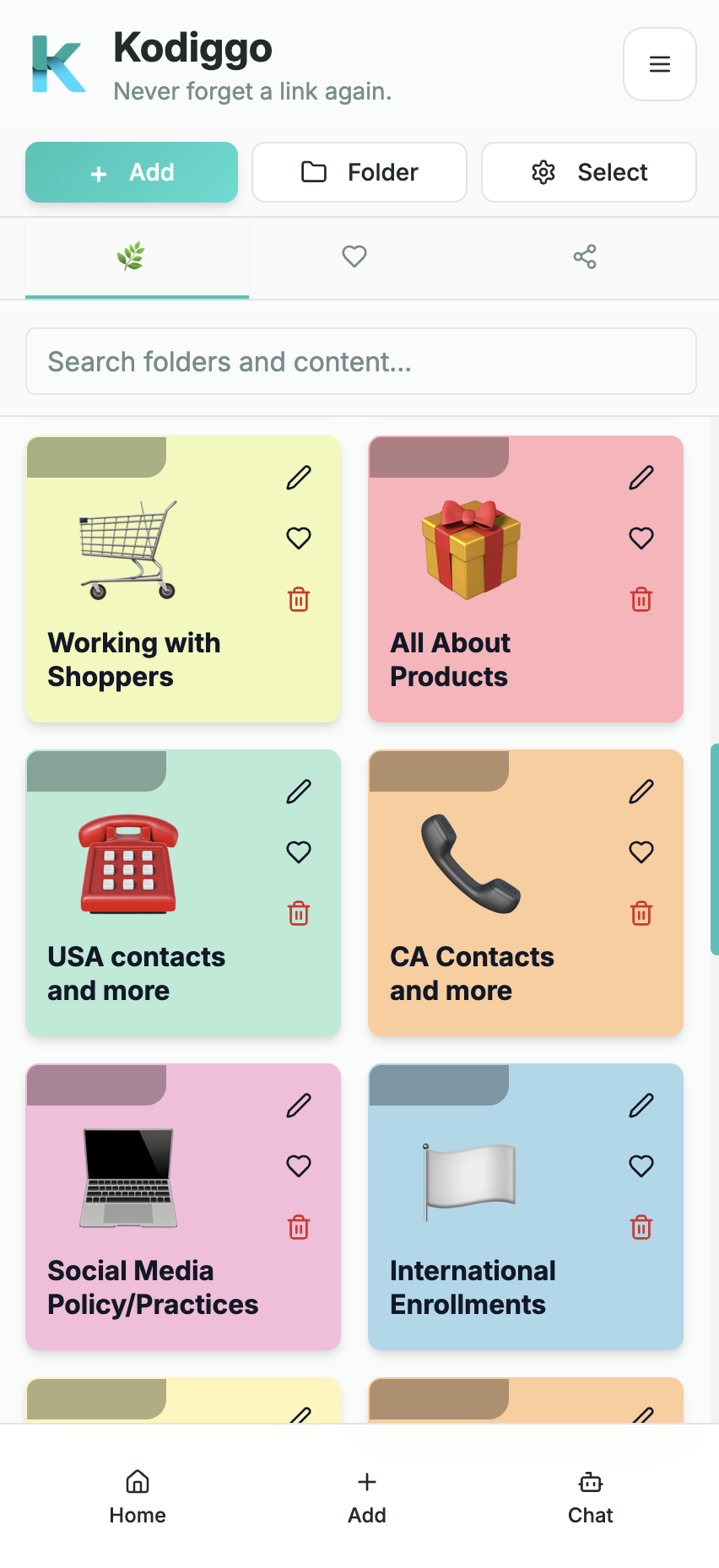
In a group, content is ordered by activity. Admins can pin posts to the Featured section, but older posts stay next to newer ones and the right version is hard to find.
Kodiggo keeps each resource on one card in a folder. When something changes, you update the card instead of posting it again.
Search across every folder and card instead of scrolling the feed.
A Start Here folder shows new members what to watch and read first.
Update the card, and the old version is gone.
The AI Companion answers questions from what you saved in your workspace.
Facts about Facebook Group were checked on Facebook Group's own website on November 28, 2026. Where we could not confirm a detail, the table says so.
| Capability | Kodiggo | Facebook Group |
|---|---|---|
| Conversation and community | Not offered | Available |
| Order of content | Folders and a Start Here folder you order | Feed by activity; admins can pin posts to Featured |
| One current version of each resource | Available; you update the card | Older posts stay next to newer ones |
| Search | Across every folder and card | Confirm with provider |
| AI answers from your own content | Available; you connect your own AI provider | Confirm with provider |
| Cost | Paid | Free to use |
| Kodiggo price | $10 a month or $96 a year per owner workspace, 14-day free trial with no card | See the provider's pricing page |
Facebook Group is a trademark of its respective owner. Kodiggo is not affiliated with or endorsed by Facebook Group. Product features may change, so confirm current details with each provider before making a decision.
Kodiggo does not replace your community. Many teams keep the group for conversation and link to Kodiggo for the training, scripts and resources.
Pick the thing your team asks for most, such as onboarding or product links, and make a folder for it.
Paste links, upload files and videos, and write short notes. Each one becomes a card your team can find.
Members see a clean view of the workspace. Owners and admins keep it current.
No. Keep the group for conversation and community. Kodiggo replaces the filing, not the conversation.
Yes. Facebook lets group admins and moderators pin posts to the Featured section. Kodiggo adds folders, search and one current version of each resource.
Yes. You can share a link to a card or folder in your group, so members land on the current version.
Kodiggo is $10 a month, or $96 a year, per owner workspace. Every new owner starts with a 14-day free trial that needs no card. There is no free tier.
Kodiggo does not sell AI credits. When you use the AI Companion, you connect a supported AI provider with your own account or key, and that provider bills you for the use.