Two tools built around two different team workflows
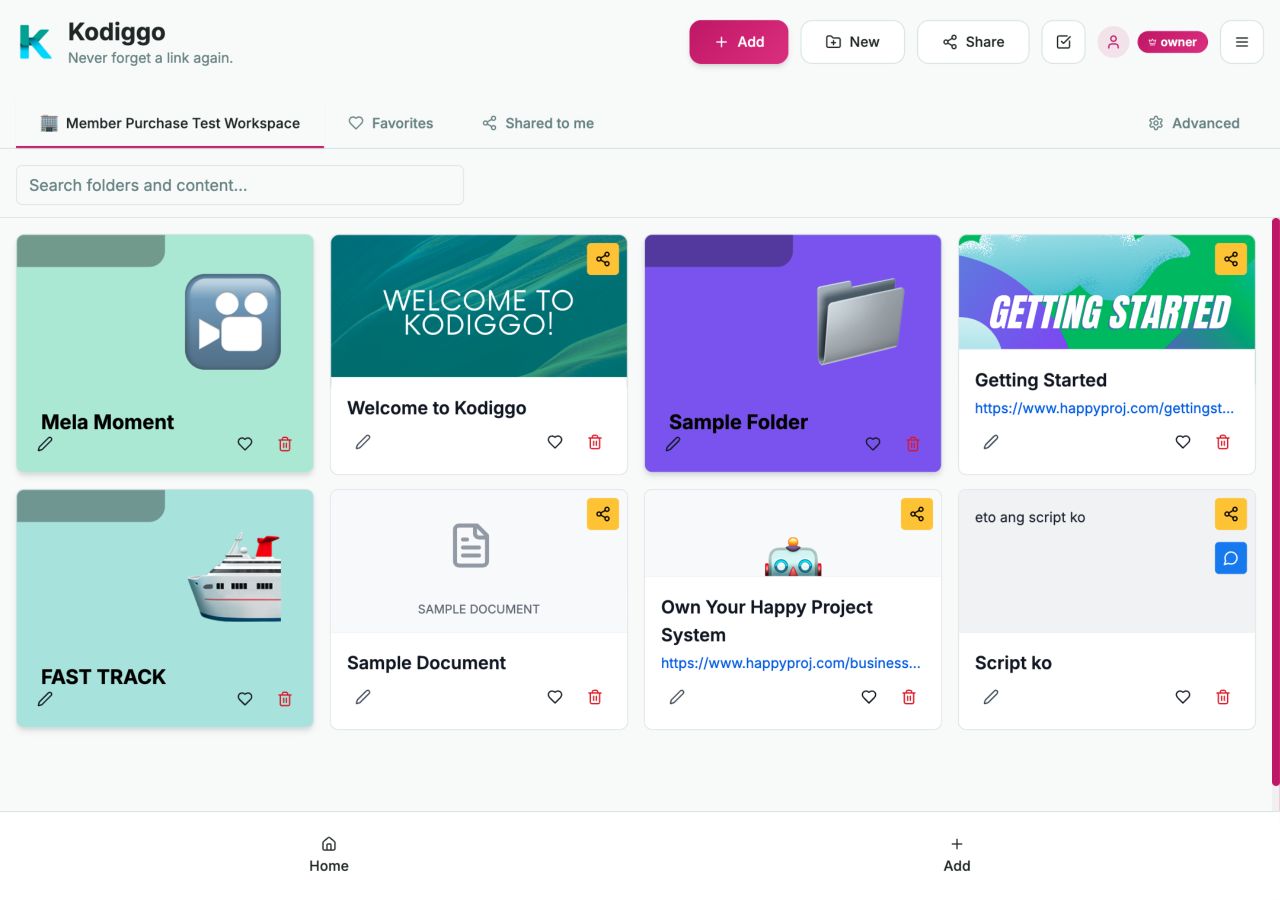
Boards and Kodiggo both help teams organize and reuse useful information, but they are designed around different priorities. Boards specializes in direct-sales duplication, onboarding, mobile keyboard sharing, and community. Kodiggo provides a broader, searchable home for links, files, videos, notes, training, and reusable team knowledge.
Last reviewed: July 2026
This comparison is designed to help you choose based on your workflow, not declare one tool best for everyone.
Do not migrate everything simply because it exists. Begin with the resources your team uses most often, group them around a clear purpose, and test the experience with a small number of members.
Boards
Designed primarily for direct-sales and network-marketing teams that want structured onboarding, organized sales content, mobile keyboard sharing, and community.
Kodiggo
Designed for teams and individuals who want a broader, searchable hub for links, files, videos, notes, training materials, and reusable knowledge.
What Kodiggo helps you organize
Searchable resource and knowledge organization
Links, files, videos, notes, folders, training materials, and reusable resources
Organized training hubs, folders, resources, and templates
AI Companion answers from saved workspace knowledge
14-day trial for owner subscriptions
Balanced comparison
Use neutral labels and verify provider-specific details before making a decision.
Capability
Boards
Kodiggo
Primary focus
Direct-sales duplication and sharing
Searchable resource and knowledge organization
Primary audience
Direct-sales leaders, distributors, and network-marketing teams
Teams, leaders, coaches, educators, creators, small businesses, and individuals
Content organization
Scripts, product information, videos, links, opportunity materials, and onboarding content
Links, files, videos, notes, folders, training materials, and reusable resources
Mobile keyboard
A central product capability for sharing content inside conversations
Not currently offered
Onboarding and training
Step-by-step onboarding and training flows
Organized training hubs, folders, resources, and templates
Searchable knowledge hub
Organized content with its own direct-sales workflow
A broader workspace focused on organizing and finding reusable resources
Community
Publicly promotes an integrated community space
Not currently offered as an equivalent native community feature
AI assistance
Confirm with provider
Available
Best fit
Teams prioritizing direct-sales conversations, mobile sharing, and field duplication
Teams prioritizing broader resource organization, search, learning, and reusable knowledge
Boards is a trademark of its respective owner. Kodiggo is not affiliated with or endorsed by Boards. Product features may change, so confirm current details with each provider before making a decision.
Boards may be the better fit when...
Your team works primarily in direct sales, frequently shares scripts and product information from a phone, and depends on content being available directly inside active conversations.
A one-tap mobile keyboard is central to your workflow.
Your content is primarily used during prospect and customer conversations.
You want a product designed specifically around direct-sales duplication.
You want onboarding and community functionality within the same direct-sales ecosystem.
Kodiggo may be the better fit when...
Your team needs a broader home for information that must be organized, searched, revisited, updated, and used across several workflows.
You organize links, files, videos, notes, and training together.
You want to build different hubs for teams, clients, projects, learning, and personal knowledge.
You want members to find information without depending entirely on active conversations.
You need a resource system that extends beyond direct-sales messaging.
You value a searchable knowledge workspace.
Using both may also make sense
A team could use Boards for fast sharing inside direct-sales conversations and use Kodiggo for its broader training, knowledge, and resource library. The right setup depends on where your team communicates and how it retrieves information later.
Ask these questions before choosing
Does your team mainly send content during live mobile conversations?
Is a mobile keyboard a requirement or simply convenient?
Does your team need a broader home for files, notes, training, and long-term knowledge?
Will the workspace be used outside direct sales?
How important is independent search and resource discovery?
Does the team need a native community feature?
Who will maintain and update the information?
Which tool will new members realistically use?
A practical setup path
Identify the resources people request repeatedly.
Remove outdated or duplicate material.
Create a simple starting structure.
Invite a small test group.
Observe what they can and cannot find.
Improve the hub before rolling it out more broadly.
Common questions
Is Kodiggo a direct replacement for every Boards feature?
No. The products overlap in resource organization and team training, but they use different approaches. Teams that rely on the Boards mobile keyboard or integrated community should evaluate those capabilities carefully before switching.
Which product is better for direct sales?
Boards is designed specifically around direct-sales and network-marketing workflows. Kodiggo may be a better fit for direct-sales teams that prioritize a broader, searchable resource and training hub. The better choice depends on how the team communicates and retrieves information.
Which product is better for use outside direct sales?
Kodiggo is designed to support a broader range of resource hubs, including team training, client resources, education, projects, research, content planning, and personal knowledge.
Can Kodiggo organize scripts and product information?
Kodiggo can be used to organize scripts, product information, links, files, videos, notes, and training resources. Teams are responsible for ensuring that uploaded materials comply with their organization's policies.
Does Kodiggo guarantee better duplication?
No. Kodiggo can make resources and processes easier to organize, find, and reuse, but team participation and business outcomes depend on many factors beyond the software.
Can I test Kodiggo before deciding?
Yes. Use the 14-day trial to create a hub with your own resources and test it with your actual workflow.