Network marketing tools: build a simpler stack your team can actually use
The right tools should make the team’s work easier to repeat, find, and maintain. They should not force members to search five applications for one current answer.
Network marketing teams often add software one problem at a time. One application is used for messages, another for files, another for meetings, another for contacts, and several personal folders hold everything that did not fit anywhere else.
Each application may be useful on its own, but the combined system can become difficult for a new member to understand. The goal is not to use the greatest number of tools. The goal is to give each important workflow one clear home.
This guide explains the main network marketing tool categories, what each category should do, and how to prevent training and team knowledge from becoming scattered between them.
Before selecting or replacing software, identify the recurring work the team needs to complete. A tool is useful when it solves a defined problem with less confusion than the current process.
When two or three applications appear to own the same workflow, members will choose whichever one they remember. That is how duplicate files, outdated links, and conflicting instructions begin to circulate.
Where does a new member go on the first day?
Where are current product and service resources stored?
Where does the team track individual contacts and follow-up?
Where are announcements and live conversations handled?
Where can a member find the latest script, video, file, or answer?
Which system is the official source for compliance-sensitive information?
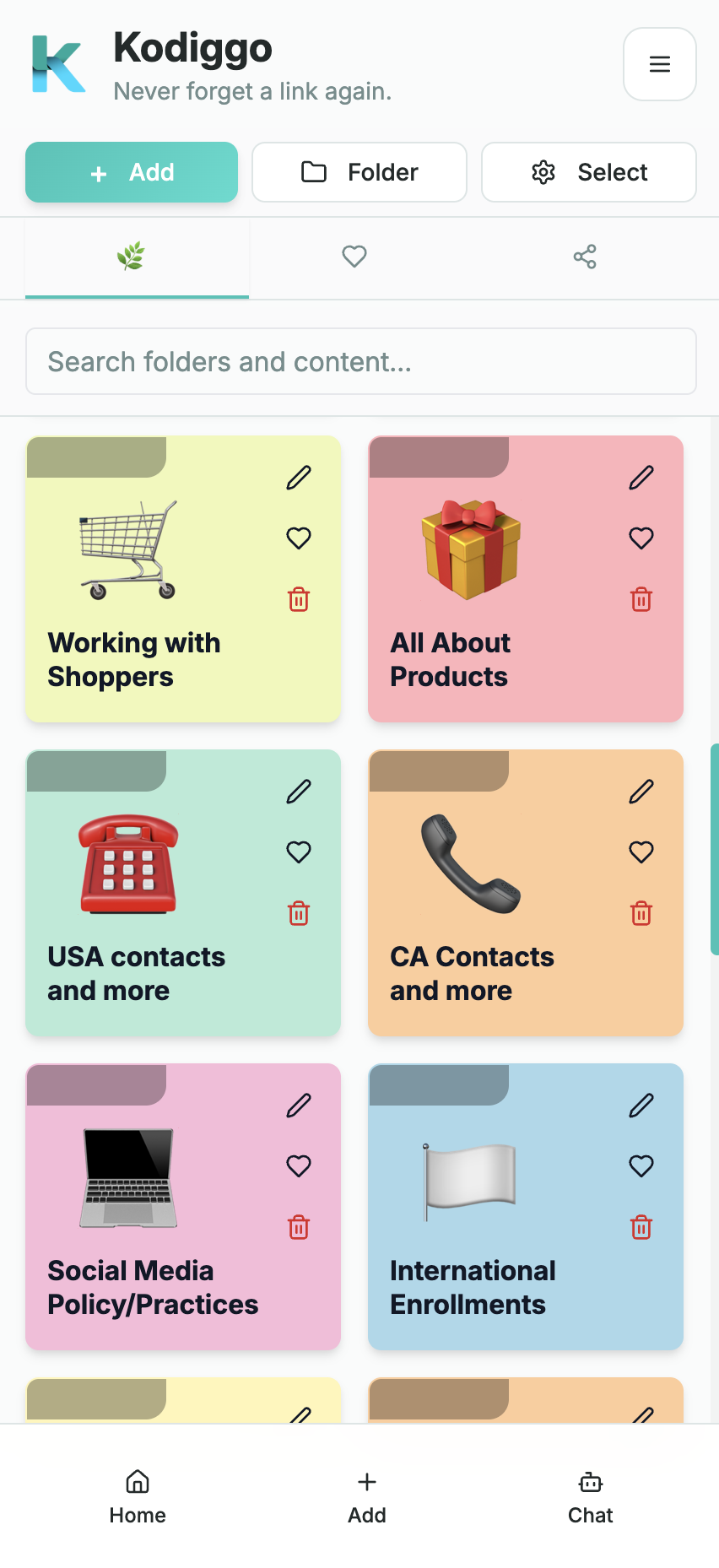
What Kodiggo helps you organize
Create one clear place for new members to begin
A Kodiggo hub can make the first steps visible and easier to revisit.
Group resources by workflow instead of file type
Keep related links, files, videos, notes, and scripts together by purpose.
Replace outdated resources in one central location
Update one resource instead of circulating another disconnected copy.
Make routine knowledge easier to search
Members can search the workspace and use the AI Companion to ask from saved knowledge.
Reduce unnecessary resending
Use the hub for repeatable information while keeping personal support available.
Six network marketing tool categories to consider
1. Official company back office
Use the company’s authorized system for enrollment, orders, customer accounts, commissions, genealogy, compensation data, and official company information.
Clear access and support instructions
Current company-provided resources
Appropriate privacy and security controls
A team resource tool should not be presented as a replacement for an official company system.
2. Communication and announcements
Use an approved communication application for live conversations, timely announcements, reminders, and direct support.
Easy access for intended members
Clear channel or group purposes
Appropriate moderation
A process for moving permanent information out of temporary conversations
3. Contact and follow-up management
Use an appropriate CRM or contact-management system when members need to record contacts, notes, reminders, follow-up dates, or opportunity status.
A workflow simple enough to maintain
Appropriate privacy controls
Clear ownership of contact data
Kodiggo is not a full CRM or sales-pipeline system.
4. Training and team resource hub
Use a resource hub for onboarding paths, training videos, scripts, product information, files, links, notes, frequently asked questions, and other knowledge the team needs repeatedly.
A clear Start Here path
Search
Support for several resource types
Easy maintenance
This is the part of the stack Kodiggo is designed to support.
5. Meetings, webinars, and calendars
Use meeting and calendar tools for live training, team calls, appointments, webinars, and scheduled support.
One dependable schedule
Correct time-zone information
Accessible join instructions
A process for saving useful recordings and follow-up resources
6. Content creation and approved assets
Use appropriate creation tools for presentations, images, documents, videos, and other materials the team is authorized to produce.
Current brand and compliance guidance
A review process for sensitive claims
Clear filenames and dates
An organized destination for final approved resources
Where Kodiggo fits
Kodiggo gives the reusable information behind the team’s work one searchable home. It can organize the onboarding steps, training, scripts, files, videos, links, notes, images, and answers that members need repeatedly.
It can complement the official company back office, a CRM, messaging, meetings, and content-creation tools. It does not need to replace those specialized systems.
Create one clear place for new members to begin
Group resources by workflow instead of file type
Keep related links, files, videos, notes, and scripts together
Replace outdated resources in one central location
Make routine knowledge easier to search
Use the AI Companion to answer questions from saved workspace knowledge
Reduce unnecessary resending without removing personal support
A team does not necessarily need a separate application for every small task. A simple starting stack may include the official company system, one approved communication application, one appropriate CRM or contact system when needed, Kodiggo for reusable team knowledge, and one meeting and calendar workflow.
The exact tools will vary. The important part is that each workflow has one recognized home and that permanent resources do not disappear inside temporary conversations.
The official company system for enrollment, orders, commissions, customer accounts, and company-provided information.
One approved communication application for live conversation and announcements.
One appropriate CRM or contact system when contact and follow-up tracking is needed.
Kodiggo for onboarding, training, scripts, files, videos, links, notes, and reusable team knowledge.
One meeting and calendar workflow for live training, appointments, and team calls.
Run a 30-minute tool audit
Review the applications your team currently uses and answer these questions.
Use the answers to simplify the system before adding another application.
What specific job does each tool perform?
Which tools perform the same job?
Which one contains the current version of each important resource?
What does a new member need during the first 24 hours?
How many applications must that member open to complete those steps?
Which information is official company information?
Which information is maintained by the team?
Who updates each system?
Which applications contain outdated or abandoned content?
Which repeated questions should become permanent resources?
Could any tool be removed without harming the workflow?
A useful stack supports people instead of replacing them
Software can make routine information easier to find, but it cannot provide judgment, empathy, coaching, accountability, or context for every situation.
Use tools to remove unnecessary friction. Keep human support available for questions that involve personal circumstances, company policy, product claims, health, legal matters, income, or other sensitive decisions.
No tool stack can guarantee team growth, sales, participation, or income.
A practical setup path
It has one clear job
Members should understand what belongs in the tool and what does not. A system described as the home for everything often becomes the home for nothing in particular.
A new member can understand it
Test the workflow with someone who did not help build it. The structure should make the first step and the support path obvious.
Information stays current
Assign responsibility for reviewing links, files, scripts, training, and announcements. A neglected library quickly loses trust.
It reduces duplicate versions
The system should make it easier to update one current resource than to distribute another copy.
It respects privacy and compliance
Use authorized systems and current company-provided information where required. Limit access appropriately and avoid storing sensitive information in tools not designed for it.
It works with the rest of the stack
A useful tool has clear boundaries and a simple connection to the team’s communication, CRM, meeting, and official company systems.
The maintenance cost is realistic
Every application requires setup, support, and upkeep. Remove or consolidate tools that duplicate another system without providing a meaningful benefit.
Common questions
What tools does a network marketing team need?
The exact stack varies, but common categories include the official company back office, communication, contact or follow-up management, a training and resource hub, meetings and calendars, and content-creation tools. Each category should have a clearly defined purpose.
Is Kodiggo a CRM?
No. Kodiggo focuses on organizing reusable resources and team knowledge. Use an appropriate CRM when you need contact records, reminders, opportunity stages, or sales-pipeline management.
Can Kodiggo replace a group chat?
Kodiggo and group chat serve different purposes. Chat is useful for active conversation and timely announcements. Kodiggo provides a more permanent place for training, links, files, videos, scripts, notes, and answers that members need to find again.
Can Kodiggo replace a company back office?
No. Continue using the official company system for enrollment, orders, commissions, genealogy, customer accounts, and other company-controlled functions.
How many tools should a team use?
Use the smallest number that clearly supports the required workflows. Every tool should have one understandable purpose, an owner, and a realistic maintenance process.
What should be organized first?
Start with the resources and explanations leaders repeat most often. Build one Start Here path, verify that every link works, and expand only when members have a clear need.